Move 5000 - Portable card terminal
Would you like to offer your customers a seamless shopping experience? The Move 5000 portable terminal is suitable for indoor and outdoor use and offers maximum payment convenience. The mobile terminal is ideal for use in the hospitality industry, retail and smaller commercial operations.

Installation
Retrieve the charging dock and connect it with the provided power cord to both the dock and the electrical outlet.
Place the terminal in the dock.
Don't forget to put the terminal back in the dock when you're not using it, so it's always charged when you need it.
Connect the terminal to mobile Wi-Fi (recommended).
Move 5000 comes with connectivity via mobile network, but you can also connect it to Wi-Fi yourself. For this, you will need your terminal password. This is a unique password designed to protect you as a merchant against fraud, so keep the password in a secure place. You can find your password in your welcome email or by logging in to the Merchant Portal.
Select Wi-Fi under Menu / Settings / Communication / Connection Type, and then choose the network. Make sure to have your terminal password available.
Start up the terminal.
Since the OPEN Two app is already activated and ready, you just need to start up the terminal.
Connect the terminal to the cash register
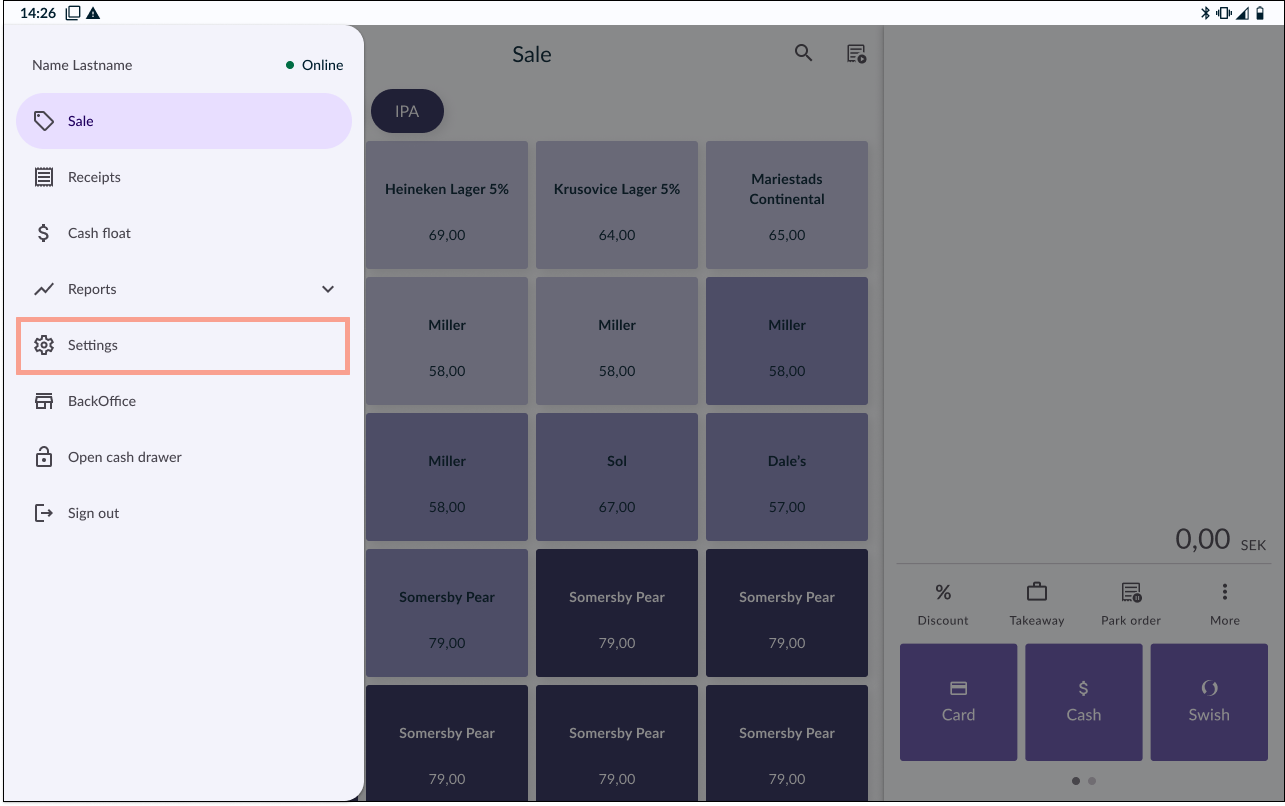
In your OPEN Two cash register device, ocog wheel the menu and go to SETTINGS.
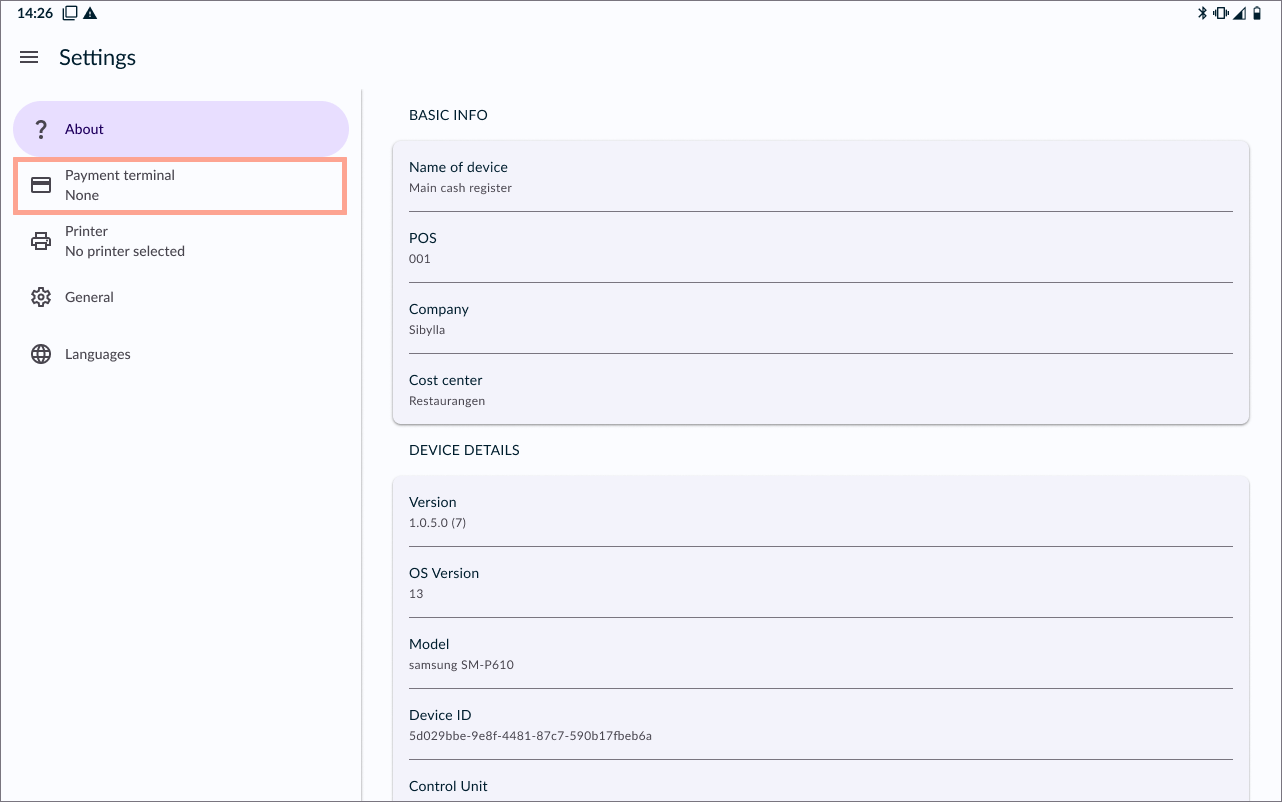
Go to PAYMENT TERMINAL.
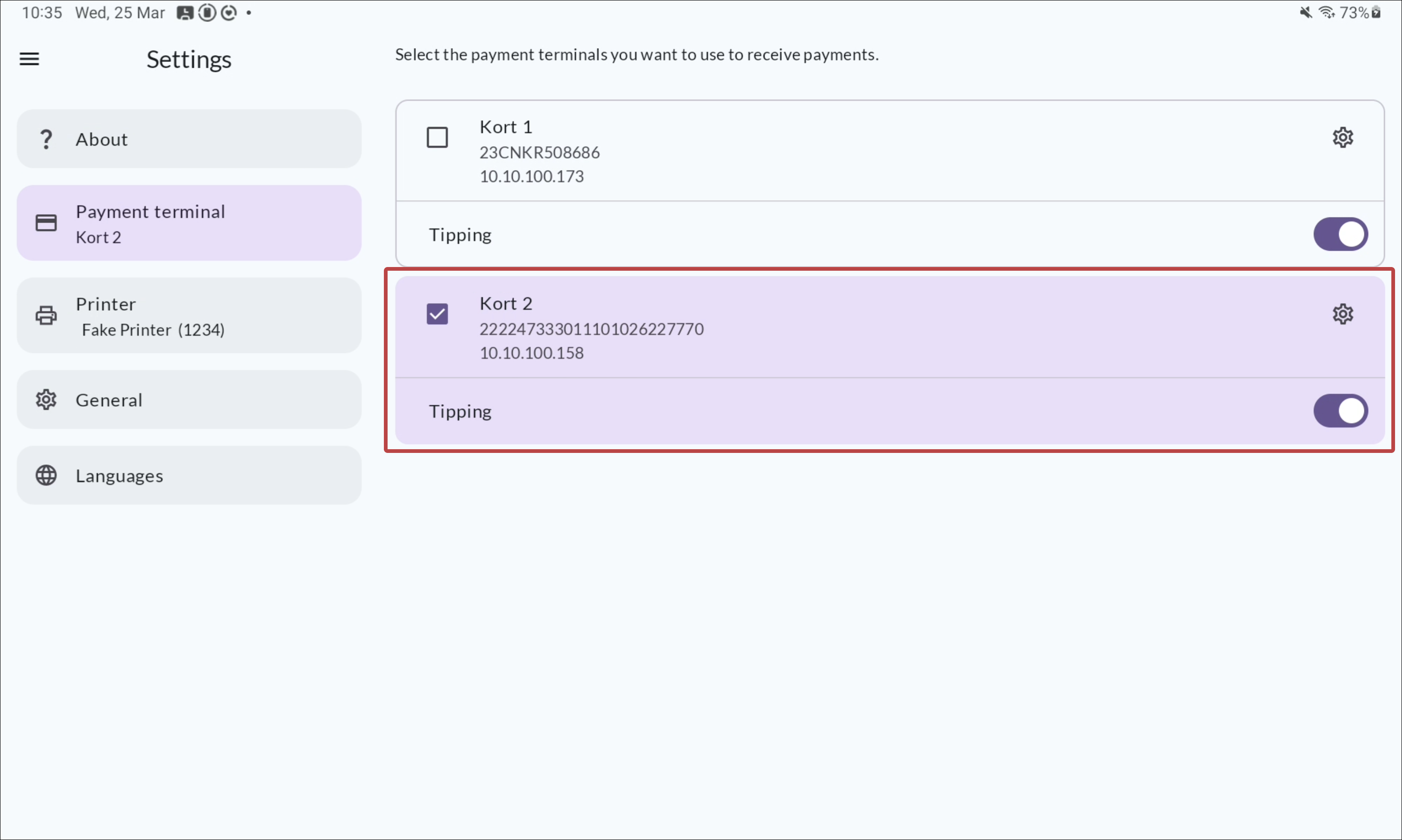
Select your payment terminal from the list.
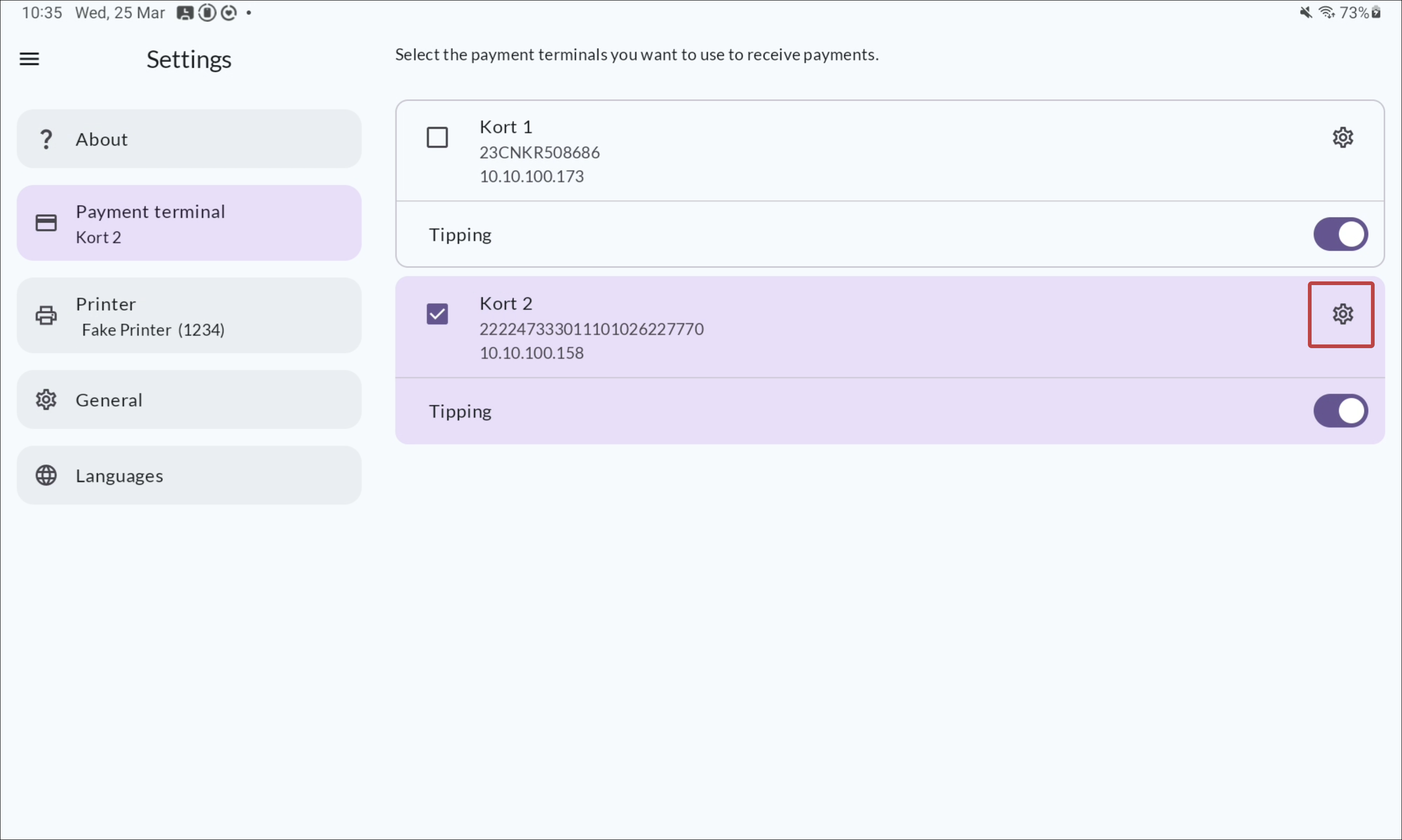
Optional: change the payment terminal name by clicking the cog wheel icon.