Tips overview
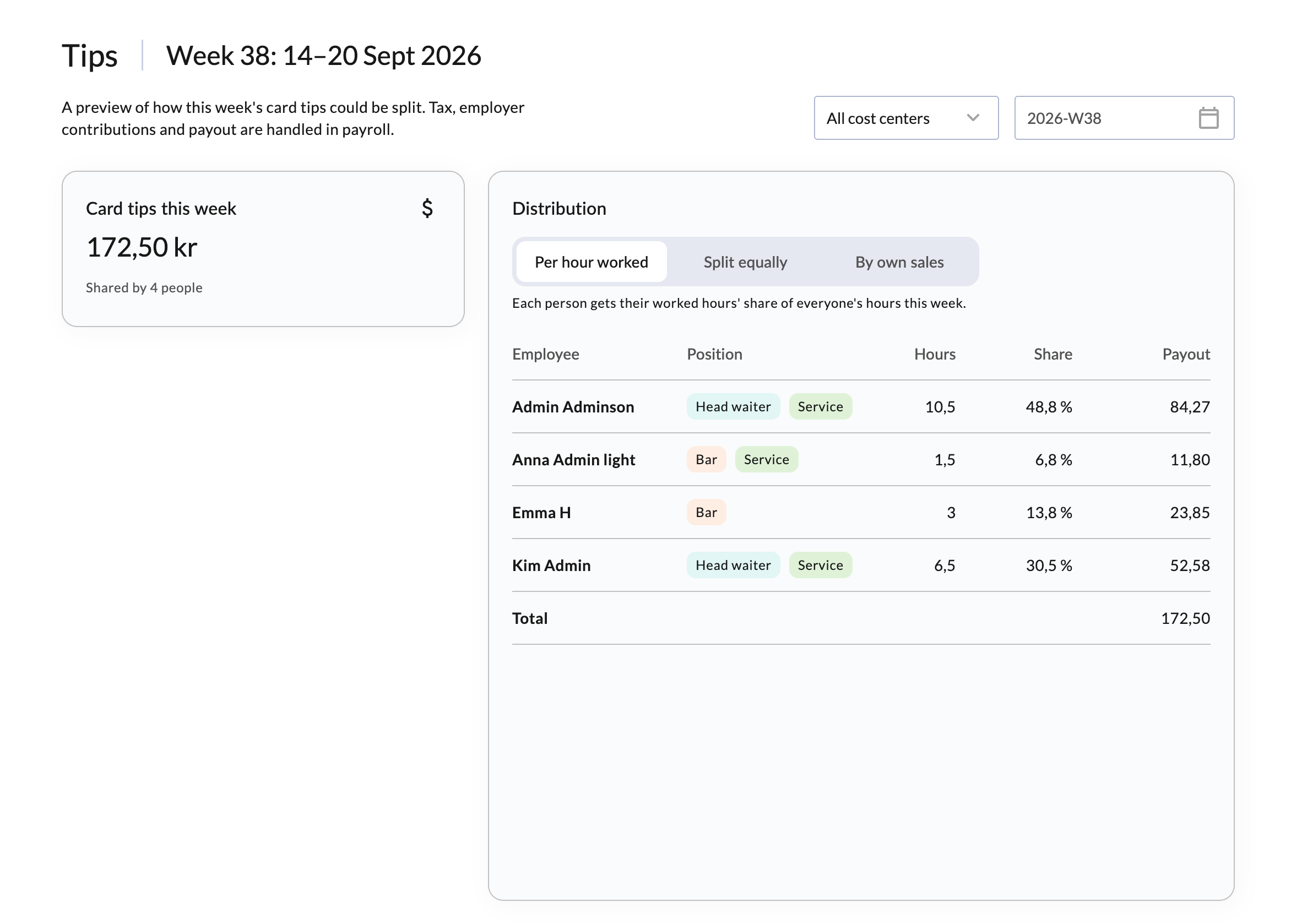
The tips page shows the week's card tips and suggests how they can be split among the staff who worked that week. It's a preview to support your payroll: tax, employer contributions and payout are handled in payroll.
License required
You'll need the license for Scheduling to be able to use these features. Contact your salesperson to get it.
See and split the week's tips
Go to Staff > Tips in BackOffice. You can also press Distribute on the Tips page in Staff > Overview.
Choose the week and the cost center in the top right corner. Card tips this week shows the week's total and how many people it is shared by.
Under Distribution, choose how the tips should be split. The table shows each employee's share and payout.

Distribution options
- Per hour worked: Each person gets a share in proportion to the hours they worked this week.
- Split equally: Everyone who worked this week gets an equal share.
- By own sales: Each person gets a share in proportion to their own sales this week. Anyone who hasn't sold anything doesn't get a share.
INFO
The tips page only includes card tips. How customers can leave tips is set in BackOffice. Read more in Tipping settings.