Set a static MAC address on your POS device
If your network requires a fixed MAC address — for example, when IT only allows approved devices to connect — you can change this in your device's network settings.
Follow these steps
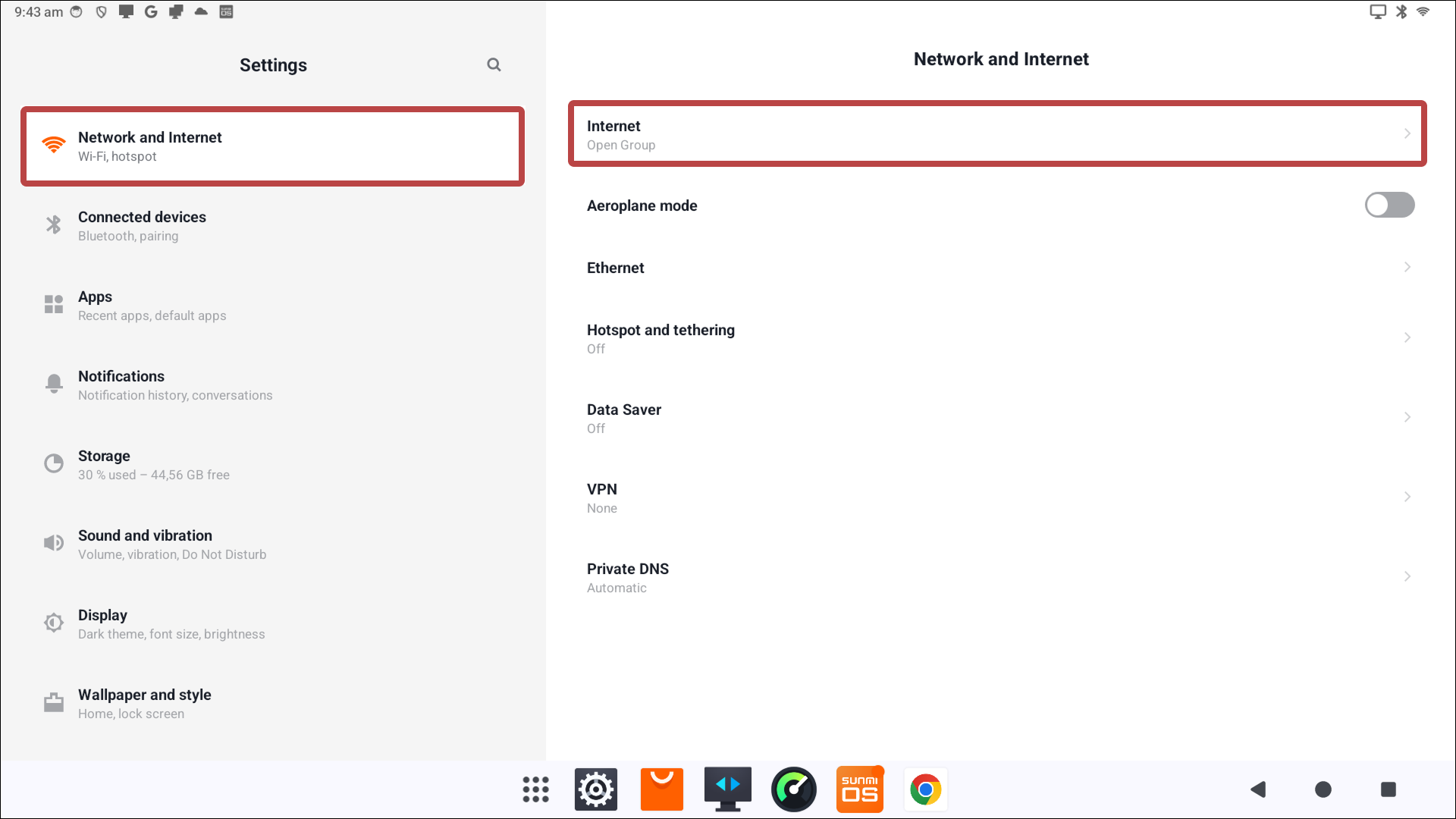
Open Settings on your POS device.
Go to Network and Internet and select Internet.
Select your network.
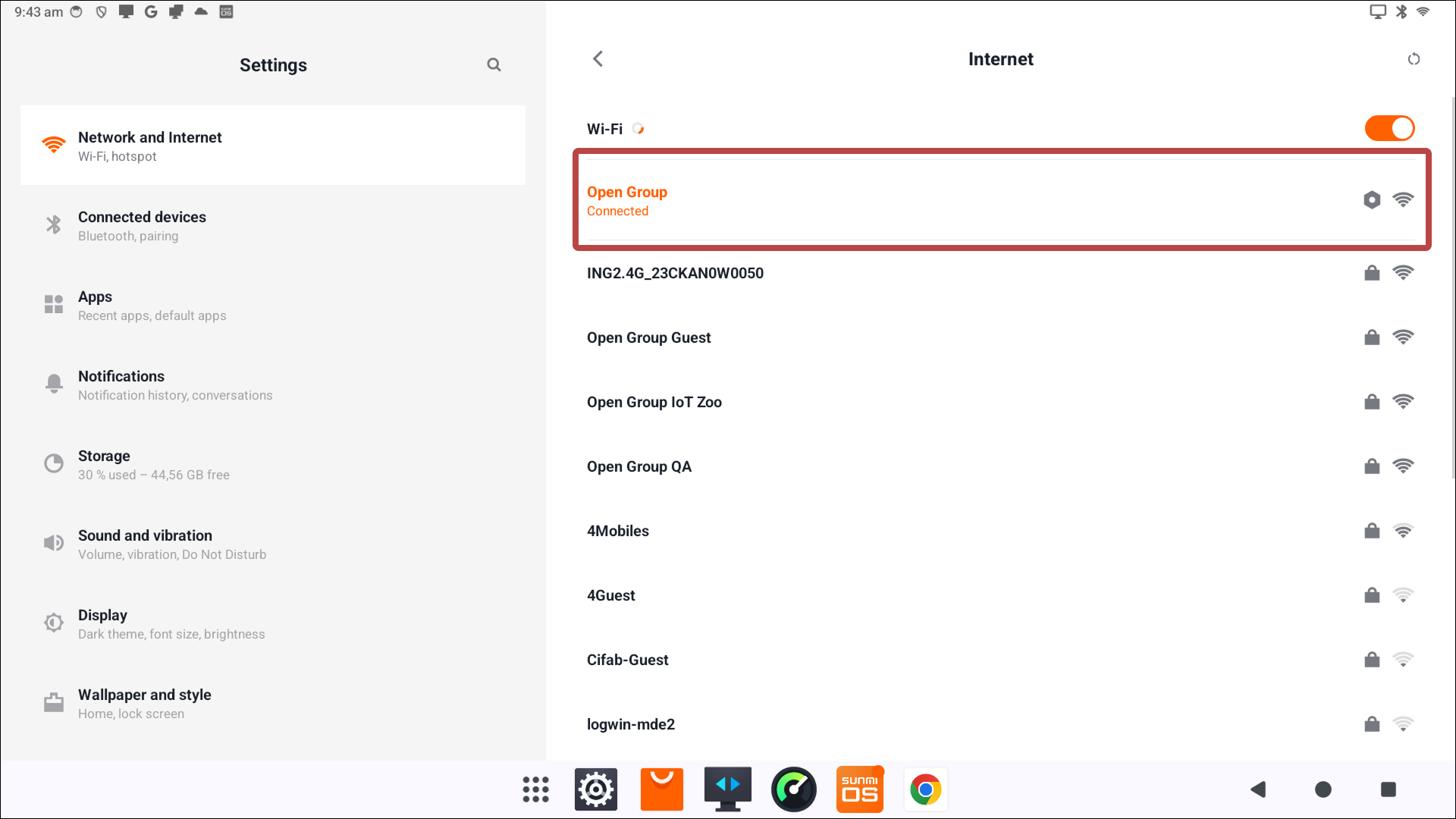
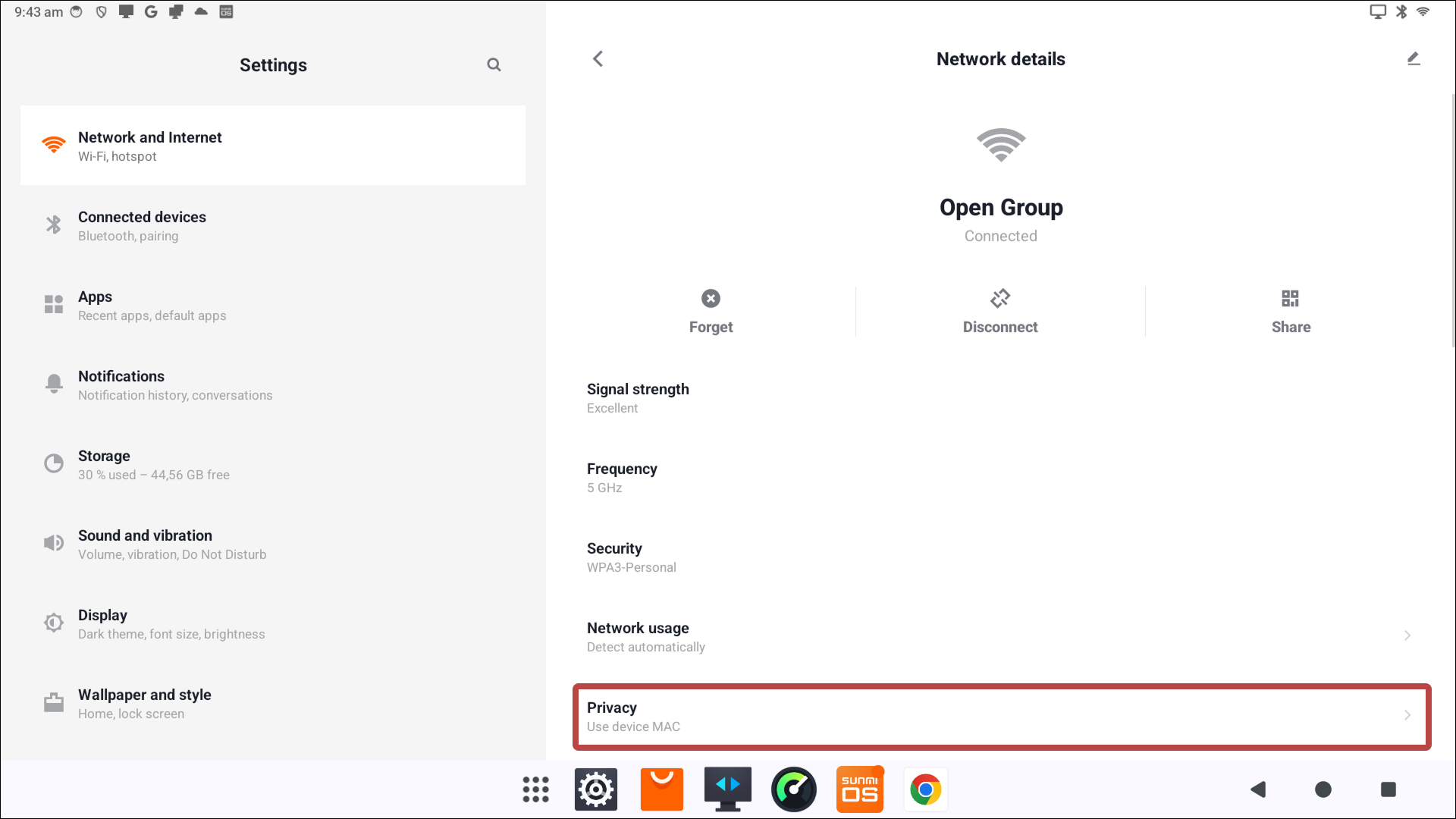
From here you can:
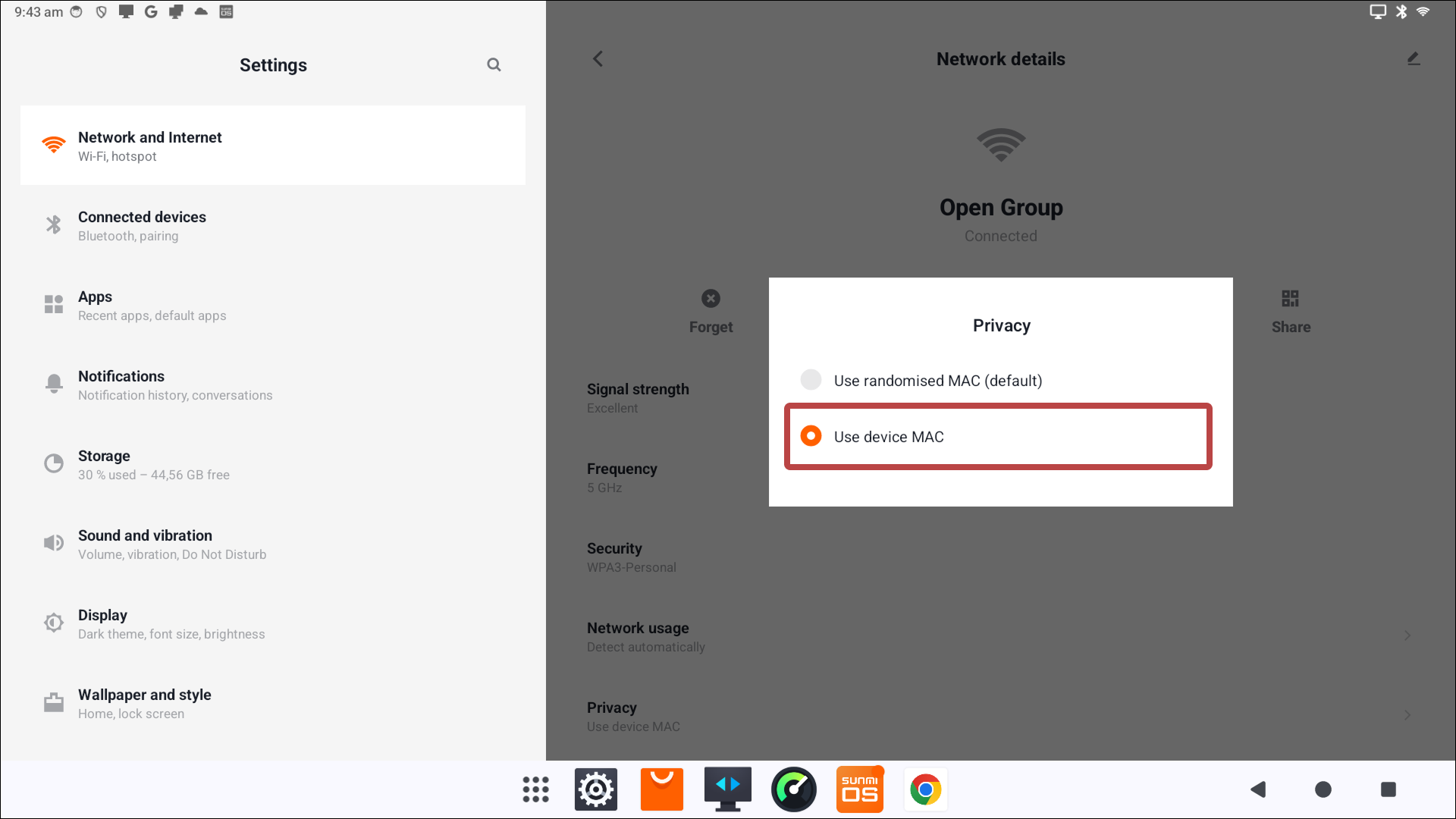
- Set Privacy to Use device MAC to use the device's fixed MAC address.
- Find the Device MAC address to share with your network administrator.
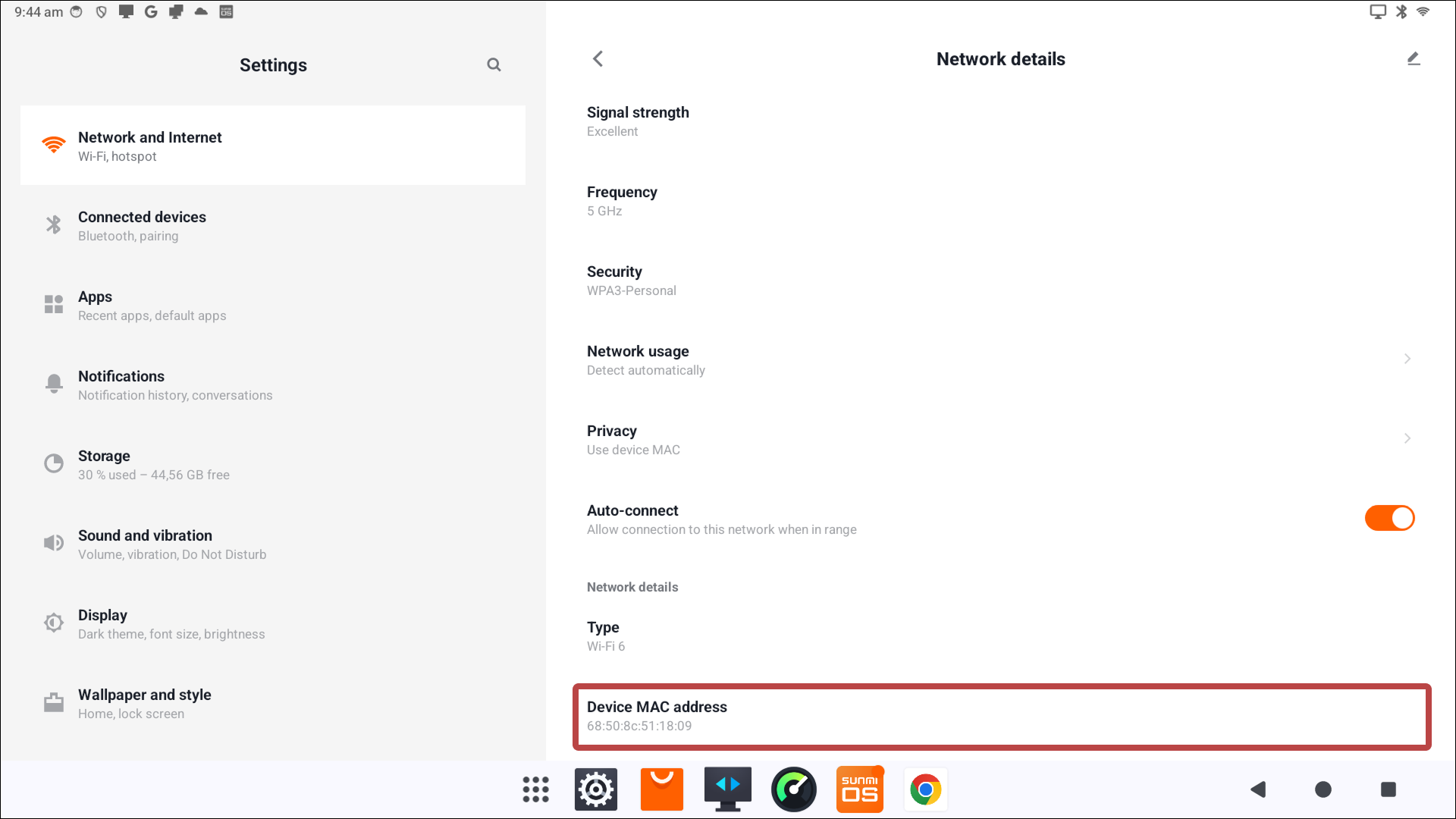
- Set Privacy to Use device MAC to use the device's fixed MAC address.


TIP
The exact steps vary slightly between devices. If you can't find the option, search for "MAC" in the Settings app.